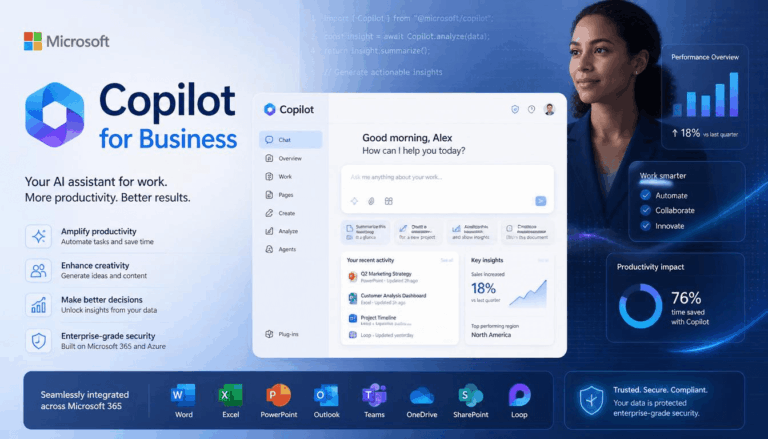
Microsoft Copilot for Business: Is It Worth It?

Not long ago, artificial intelligence seemed like something only large enterprises could realistically adopt. Today, you will find it everywhere. Businesses of all sizes are exploring AI-powered platforms that promise to save time, reduce repetitive work, and help employees get more done during the workday.

That growing interest has brought attention to Microsoft Copilot for business, a tool designed to work alongside the applications many organisations already use every day. Whether it is drafting emails, summarizing meetings, analyzing data, or helping employees find information more quickly, Copilot aims to reduce the amount of manual work involved in routine tasks.

The question many decision-makers are asking, however, is fairly simple. Does it actually provide enough value to justify the additional cost?

Microsoft Copilot for Business

Is Microsoft Copilot for Business Worth the Investment?

The answer to this question depends largely on how your organization operates and where employees spend most of their time.

For some businesses, a large portion of the workday involves creating documents, responding to emails, attending meetings, and working with spreadsheets. In those environments, even small time savings can add up significantly over the course of a month.

For others, the benefits may be less noticeable if employees rarely use Microsoft applications or if their work relies heavily on specialized software outside the Microsoft ecosystem.

The key is understanding what Copilot is designed to do and where it can realistically help.

What Copilot Actually Helps With

One reason businesses are paying attention to AI is that many employees spend hours every week on repetitive administrative tasks. Writing summaries, searching through emails, preparing reports, and organizing information can consume more time than people realize.

Copilot attempts to reduce some of that workload by assisting users directly within familiar applications. Rather than switching between multiple platforms, employees can access AI support while working in Word, Excel, Outlook, Teams, and other Microsoft products.

Among the most talked-about Microsoft 365 Copilot features are meeting summaries, document drafting assistance, data analysis support, and email generation tools.

While these capabilities can be useful, let’s not forget that the value mainly depends on how employees choose to use them. The technology works best when viewed as an assistant rather than a replacement for human judgment.

Does It Help With Productivity?

When evaluating software investments, productivity is usually one of the first areas businesses examine.

Imagine a manager who spends several hours each week reviewing meeting notes, writing follow-up emails, and compiling information from different sources. If AI can reduce even a portion of that workload, the accumulated time savings could become meaningful over the course of a year.

This is why many companies compare Copilot with other AI tools for business before making a decision. The goal is not simply to find the newest technology but to determine whether it addresses genuine workplace challenges.

What Users Tend to Like

One of the biggest advantages frequently mentioned in any Microsoft Copilot review is convenience.

Employees generally do not need to learn an entirely new platform because Copilot operates within applications they already use. That familiarity can reduce adoption challenges compared to introducing a completely separate AI system.

Many users also appreciate the ability to quickly summarize lengthy documents, generate first drafts, and locate information that might otherwise require searching through multiple files or email threads.

For busy teams, these small efficiencies can help reduce some of the daily administrative burden.

Potential Drawbacks to Consider

There is no denying that Copilot offers clear advantages. However, it is not a perfect solution.

The quality of the output still depends heavily on the information available to the system and the prompts provided by users. Employees may need time to learn how to ask better questions and review responses carefully before using them.

There is also the matter of cost. Organizations must evaluate whether the productivity gains justify the subscription expense across multiple users.

Businesses should avoid assuming that AI automatically creates value simply because it is available. Success usually depends on thoughtful implementation and realistic expectations.

Security and Data Considerations

Whenever AI becomes part of daily business operations, questions about security and data management naturally follow.

Organizations that already work with an Azure managed service provider typically have existing governance processes that can help support AI adoption. These discussions become particularly important when employees regularly handle sensitive customer information, financial data, or proprietary business materials.

Before deploying any AI solution broadly, companies should understand how data is accessed, processed, and protected.

Where Copilot Makes the Most Sense

Copilot tends to provide the most value in environments where employees spend significant time working within Microsoft applications.

Professional services firms, administrative teams, sales departments, marketing groups, and project managers are among the users who may benefit most from the platform’s capabilities.

As businesses continue exploring Microsoft Copilot solutions, many are focusing on specific use cases rather than attempting organization-wide adoption immediately. Starting with a smaller group typically provides a clearer understanding of potential benefits before making a larger commitment.

Similarly, organizations evaluating broader Microsoft 365 Copilot solutions tend to start by identifying repetitive tasks that consume substantial employee time.

Businesses that already rely heavily on Microsoft technologies may also find that Copilot complements existing Office 365 solutions without requiring significant changes to established workflows.

Microsoft Copilot

So, Should You Go for Microsoft Copilot for Business?

Whether Microsoft Copilot for business is worth it ultimately depends on how your organization works and what problems you are trying to solve. Companies looking to reduce administrative workloads, improve productivity, and help employees work more efficiently may see meaningful benefits. 

At the same time, businesses should approach adoption with realistic expectations and a clear understanding of where AI can genuinely add value. Like many technology investments, success usually comes from using the tool thoughtfully rather than expecting it to solve every challenge on its own.

Businesses that prepare before an attack recover faster and reduce long-term disruption. Investing in ransomware protection, secure backups, and tested recovery planning can significantly improve resilience against future attacks.

Most Frequently Asked Questions About Microsoft Copilot for Business

1. What is Microsoft Copilot for Business?

Microsoft Copilot for Business is an AI-powered assistant that works within Microsoft 365 applications such as Word, Excel, Outlook, and Teams. It helps users draft content, summarize meetings, analyze data, generate emails, and streamline everyday tasks.

2. Is Microsoft Copilot worth the cost for small and mid-sized businesses?

It can be worth the investment for businesses that rely heavily on Microsoft 365 applications and spend significant time on administrative tasks. The productivity gains and time savings often justify the subscription cost when employees use the tool regularly.

3. Which teams benefit most from Microsoft Copilot?

Administrative teams, sales professionals, marketers, project managers, consultants, and other knowledge workers typically see the greatest value. These roles often involve document creation, email communication, data analysis, and meeting management.

4. Does Microsoft Copilot replace employees?

No. Microsoft Copilot is designed to assist employees, not replace them. It helps automate repetitive tasks and provides suggestions, but human oversight and decision-making remain essential for accuracy and business-critical work.

5. What security considerations should businesses evaluate before adopting Microsoft Copilot?

Organizations should review data governance policies, access controls, compliance requirements, and how sensitive information is handled. Understanding how Microsoft Copilot accesses, processes, and protects business data is an important part of successful implementation.